From my editing desk / 001
Classic Neg.
A little more
room to play.
I wanted to dial the look up or down. So I made my own take on GFX Classic Neg as an adjustable color profile.
This download is for Fujifilm GFX 100S RAW files only. It is not the cross-camera version.
Download the profileFree download · XMP file · 234 KB · No signup
First time installing a profile?
The idea
The look is a starting point.
This is an XMP color profile, not a preset that moves all your editing sliders. It supports an Amount control, so you can adjust the strength and keep working on the photograph.
This version depends on Adobe’s Camera PROVIA/Standard profile for the GFX 100S. Other cameras, JPEGs and mobile workflows are not supported by this release.
Get it into Lightroom
Download.
Import. Make it yours.
Save the XMP file.
Use the download button above. Keep the .xmp extension; you don’t need to open the file itself.
Import it on desktop.
In Lightroom Classic, open Develop, then choose File → Import Develop Profiles and Presets. Select the downloaded XMP. In Lightroom desktop, use File → Import Profiles & Presets.
Open a GFX 100S RAW photo.
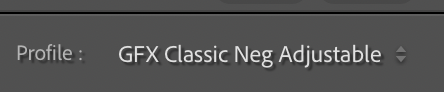
Open the Profile browser and find GFX Classic Neg Adjustable. Select it, adjust Amount, then edit as usual.
Not appearing? Confirm you have a GFX 100S RAW selected and Camera PROVIA/Standard available. Restart Lightroom after importing if needed. This file is camera-restricted, so importing it will not make it work on other cameras.
Try it on a few frames.
I’d love to see what you make.